
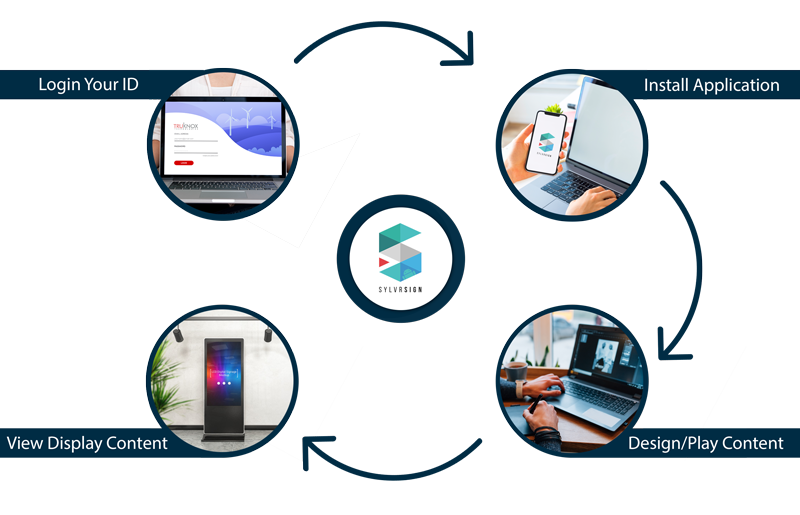
The hardware is whatever you like
This is the part that decides what a signage project costs. SylvrSign plays on any Android device: a tablet, an Android box, a stick, a set-top box, or a smart television using the player already built into it. Connect a screen to an Android device and it becomes something you can publish to.
There is no proprietary player to buy and nothing tying you to one manufacturer. That is usually what makes a small installation cost more than the business expected, and it is the reason this product exists.
Making the content
The manager application runs on Windows and on Android, so a layout can be built at the office desktop or on a tablet while standing in front of the screen. It assumes no design training.
Deciding when things appear
Content is scheduled by month, week, day, hour or minute. A cafe can run a breakfast board until eleven and a lunch board after it without anybody touching the screen, and a retailer can put a promotion up for one weekend and let it come down on its own.
Players work over your local network or over the internet, so screens in one building and screens in another are managed the same way.
Who is allowed to change what
Content authority is assigned per screen. A manager at one site can update their own screens without being able to touch another site's, which starts to matter as soon as there are more screens than there are people you would trust with all of them.
The two modules
SylvrSign Manager
Where layouts are built and published, on Windows or Android. One screen or a thousand, from the same place.
SylvrSign Player
The Android application that runs on the device driving each screen and plays what has been published to it.
Who it suits
Waiting rooms, counters, cafes, small retail, and any business that wants to show something to people already standing in front of it. We will recommend this over Tru-i whenever it is the right answer rather than the smaller sale.
Questions we get asked
- What hardware do we actually need?
- A screen, an Android device to drive it, and the player application on that device. A smart television with Android built in needs nothing else. We will tell you what to buy, or supply it.
- Does it need an internet connection?
- It works over your local network or over the internet. A single site with no reliable connection can still run on the local network alone.
- Can one person look after screens at several sites?
- Yes, and they can be limited to the screens they are responsible for. Per-screen permissions are part of the product rather than something bolted on.
- What can go on a screen?
- Images, video, a clock, and a live ticker from an RSS feed, in any layout you arrange, portrait or landscape, up to 4K.
- What is included when we buy it?
- Demonstration, installation, staff training and support. The software is only worth anything if the person updating it knows how.
- Can we start with one screen and add more?
- Yes. The manager publishes to any number of screens, so growing is a matter of adding players.